
Software Applications

Software Applications

1. MotoPlus

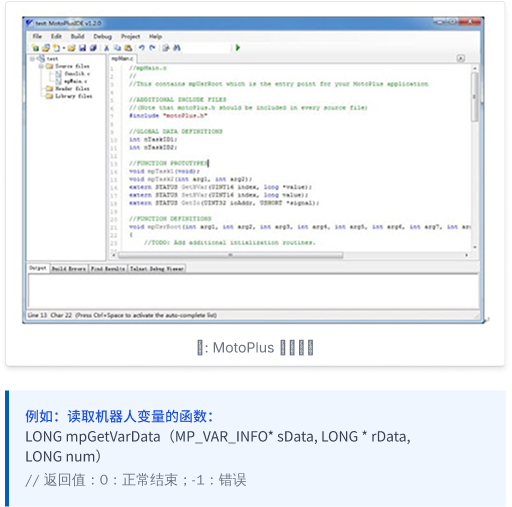
If you are unfamiliar with the robot’s system files, MotoPlus — a secondary development platform for the robot controller — lets you achieve the functionality you need through its provided interfaces. With MotoPlus, you can issue a wide range of commands to a Tianji robot, which will then execute the corresponding actions.

About MotoPlus:

MotoPlus is a professional integrated development environment. Code is written in C within the MotoPlus IDE text editor, then compiled and linked into an executable program that is installed on the robot control cabinet and run as a task within the robot. When the robot powers on, the MotoPlus application stored on the CF card is automatically loaded into the robot’s memory and executed alongside the system program.

Key Features of MotoPlus:

  • 1
    Fast Execution

    The application is embedded directly within the robot system, running like native code on the CPU, resulting in fast execution.

  • 2
    Reduced Hardware Requirements

    Using the network and RS232 serial communication ports provided by MotoPlus, users can connect the robot directly to external sensors, eliminating the need for an additional computer.

  • 3
    Simple Programming:

    Using C’s extensive standard library along with the API function set provided by MotoPlus, developers can build a wide range of applications without modifying the robot control cabinet’s source code.
1. MotoPlus

2. MotoSim EG-VRC

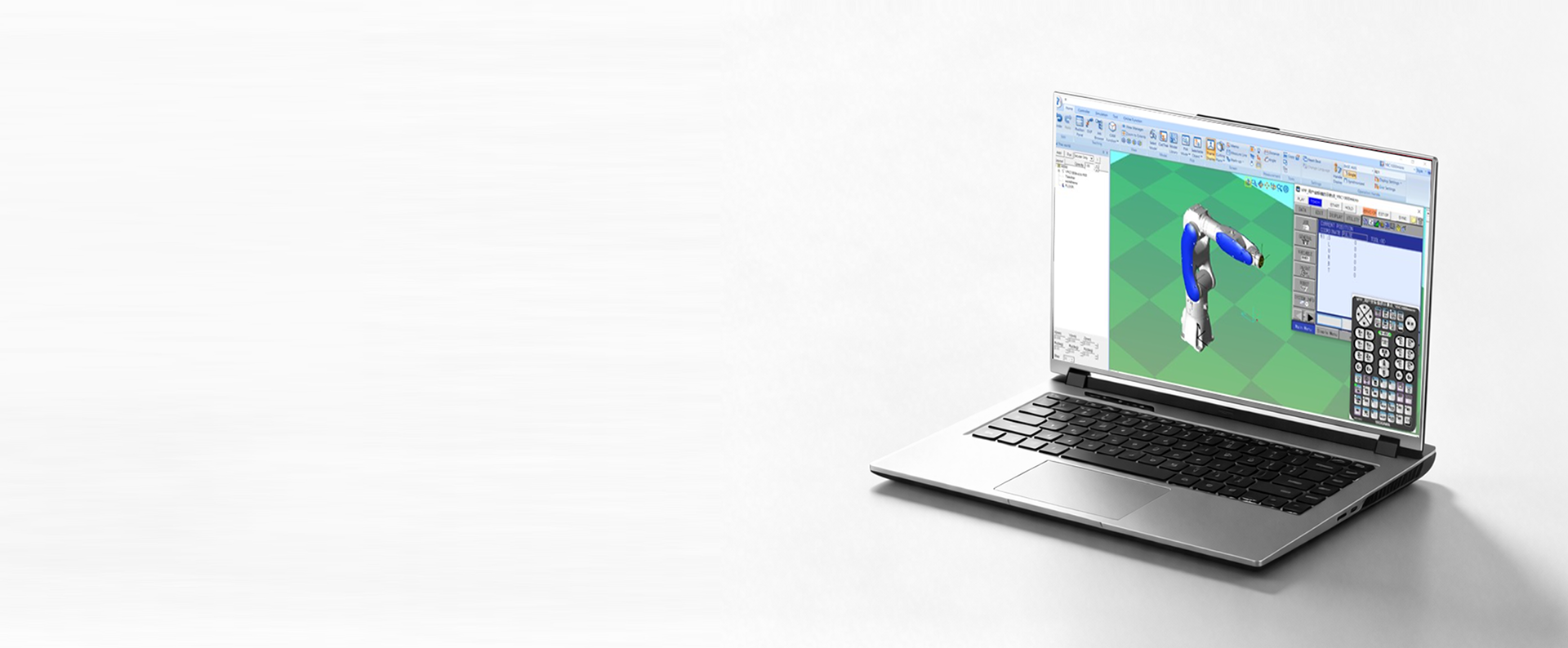
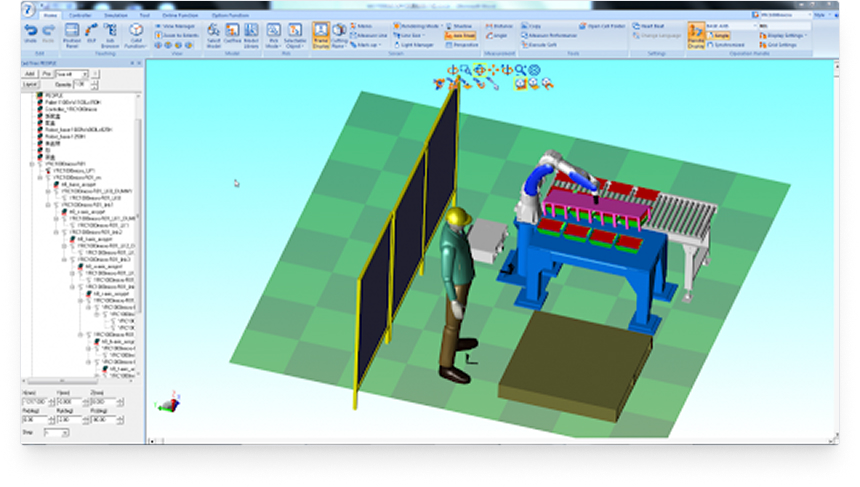
Industrial robot teaching falls into two categories — online teaching and virtual teaching. Tianji’s MotoSim EG-VRC software makes the virtual teaching process intuitive and convenient.

  • 1. Realistic Simulation

    Simulates the robot’s actual working environment with precise 3D model import, helping optimize layout design.

  • 2. Path Generation

    Automatically generates paths, saving commissioning time and cost while greatly improving efficiency.

  • 3. Simulation Evaluation

    Simulates the robot’s range of motion and cycle time to optimize the production process.

  • 4. Remote Monitoring

    Communicates with the physical robot to enable monitoring, program backup, and parameter configuration.

MotoSim EG-VRC Virtual Teaching and Simulation System

MotoSim EG-VRC Virtual Teaching and Simulation System

System Configuration and Features

  • Supports independent and coordinated motion
  • Editing of various condition files and variables
  • Compatible with multiple control cabinets, including YRC1000, DX200, and more
  • Operates the same way as the physical teach pendant
  • High-precision cycle-time calculation
  • Simulation of a wide range of signals

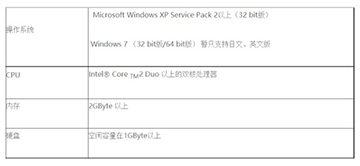
System Requirements

MotoSim EG-VRC Virtual Teaching and Simulation System

* We recommend using the suggested configuration for optimal simulation performance.