

Additional Features
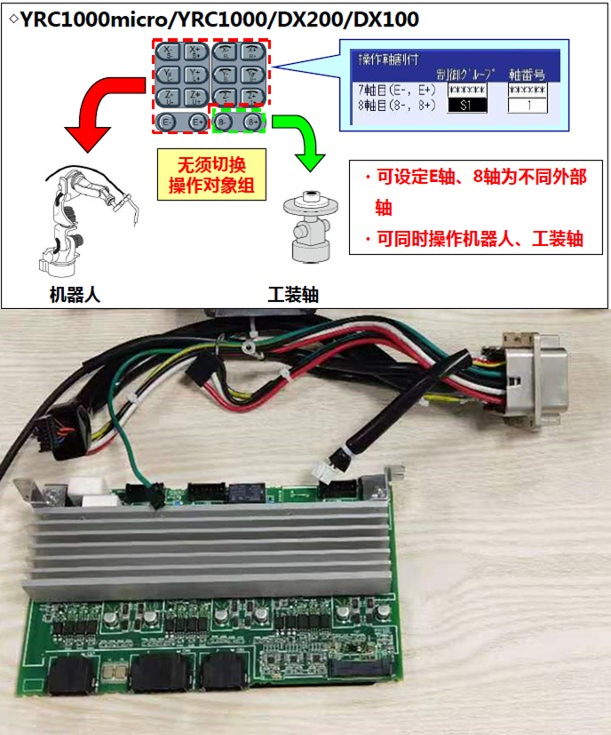
External Axis
Product Overview:
By adding an amplifier base board, external axes (traveling axes, tooling axes) can be added and controlled via assigned teach-pendant buttons. The E-axis and 8th-axis operation keys on the teach pendant can be assigned to any external axis (traveling axis or tooling axis); pressing the key under the robot-group selection screen operates that axis directly.
Conveyor Belt Tracking
Product Overview:
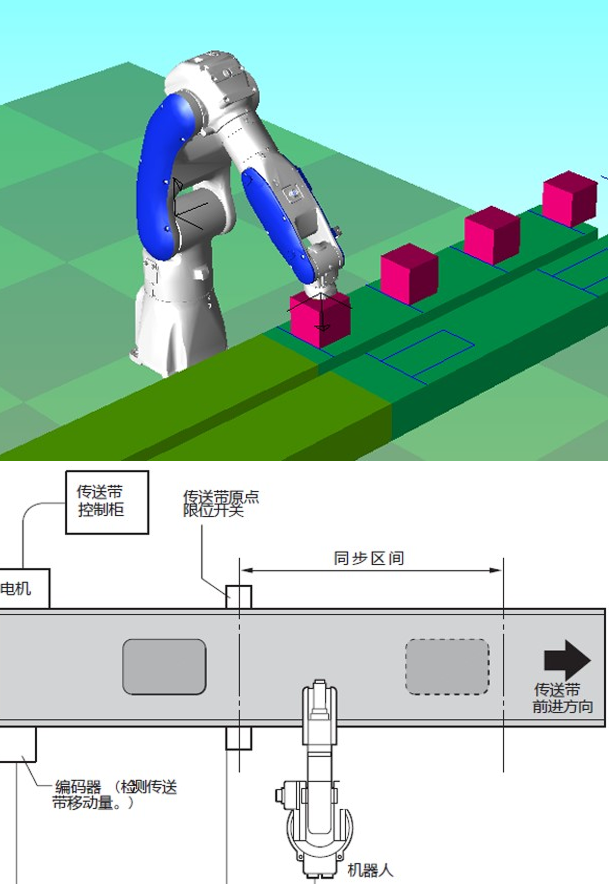
The robot tracks the workpiece, performing handling and placement tasks without ever stopping the conveyor.
The conveyor keeps running while the robot continuously tracks the workpiece to perform handling, spraying, and other tasks. Depending on site requirements, there are two operating modes:
1. Sensor Tracking:
Individual workpieces are conveyed in a single line; as each passes a fiber-optic sensor, a tracking signal is triggered. The robot maintains a constant relative distance to the continuously moving workpiece, enabling tracked pick-and-place. Each workpiece triggers a single event, making setup simple.
2. Vision Tracking:
Any number of workpieces can be conveyed in any arrangement. A vision system captures image data and sends position information to the robot, enabling it to track the workpieces.
Force Control
Product Overview:
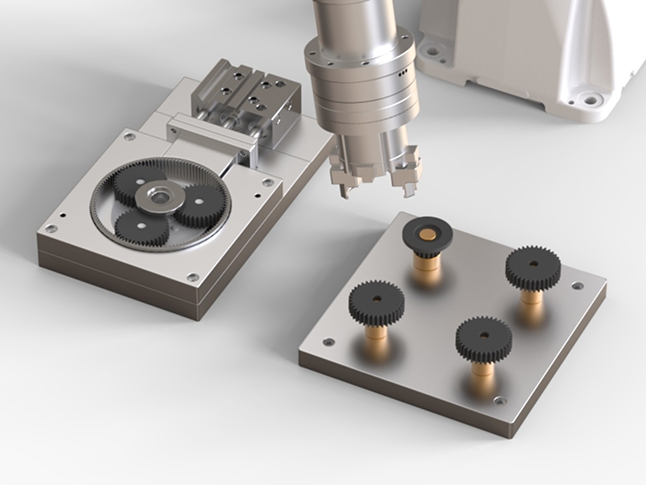
Based on feedback control from a force sensor and a proprietary force-control algorithm, this feature enables precise operations such as gear assembly, contour-following grinding, and polishing.
Virtual Fence
Product Overview:
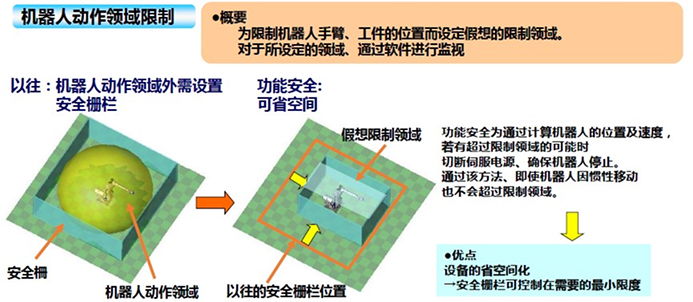
Product Overview: Defines a virtual restricted zone to limit the position of the robot arm and workpiece. The defined zone is monitored continuously by software.
Function:
By calculating the robot’s position and speed, the system cuts servo power if the robot is at risk of exceeding the restricted zone, ensuring it stops in time. This way, even if the robot continues moving due to inertia, it will not cross the boundary.
Benefit:
Saves equipment space, allowing physical safety fencing to be kept to the minimum size required.
Fixed TCP
Product Overview:
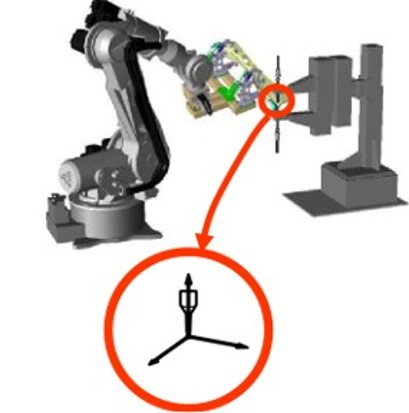
Product Overview: A fixed point in space is taught and reproduced as the robot’s control point, making operations such as reorienting a workpiece easy to achieve.
Function:
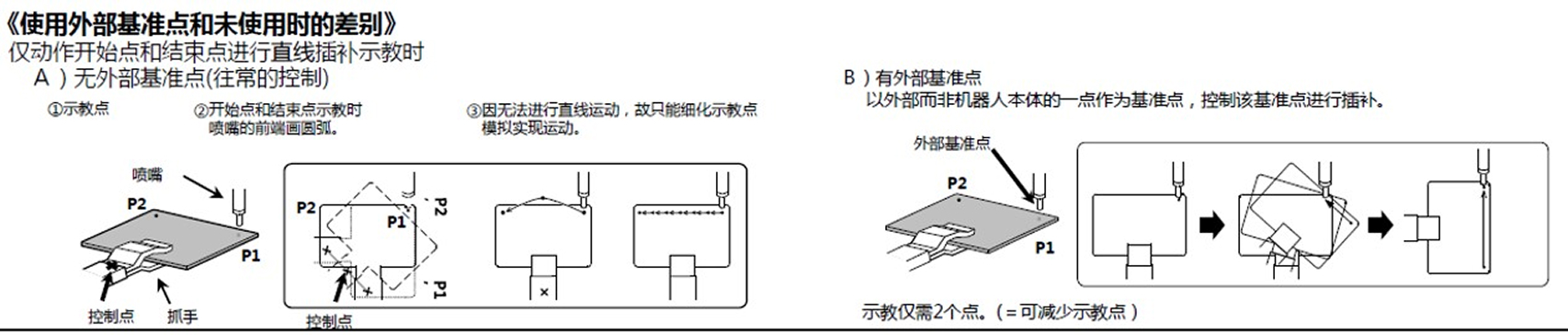
Any point in space can be set as the control point, allowing linear and circular interpolation relative to that reference point while keeping the shape stable.
Benefit:
Reduces the number of teach points required, shortening teaching time. Up to 63 reference points can be used, with easy tool switching.
Palletizing
Function:
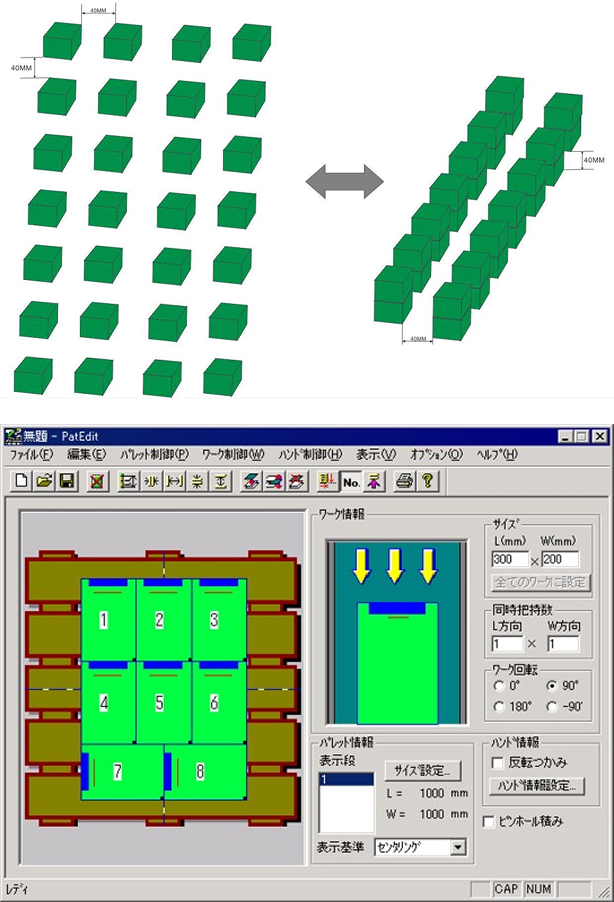
Using a template program, the palletizing routine can be completed simply by setting the initial pick/place points along with the product’s length, width, height, count, and spacing.
Benefit:
Operated directly from the teach pendant, the palletizing software helps shorten setup time and improve work efficiency.
- Automatically generates the palletizing program
- Easily confirm palletizing status
- Easily select and switch between tasks
Soft Floating
Product Overview:
The servo-floating function controls not only the robot’s position but also its position and force together, flexibly adjusting the robot’s position and posture in response to applied external force.
Function
The servo-floating function consists of joint servo-floating and linear servo-floating.
① Joint Servo-Floating Function
Applies servo floating on a per-axis basis. Suitable when external force is applied to one specific axis, or when the direction of the external force is unknown and servo floating is needed across all axes.
② Linear Servo-Floating Function
Applies servo floating along the axes of a given coordinate frame — robot, base, user, or tool coordinates. Suitable when external force is applied along a specific direction within a given coordinate frame.
Benefits
① The robot can perform work in response to external force.
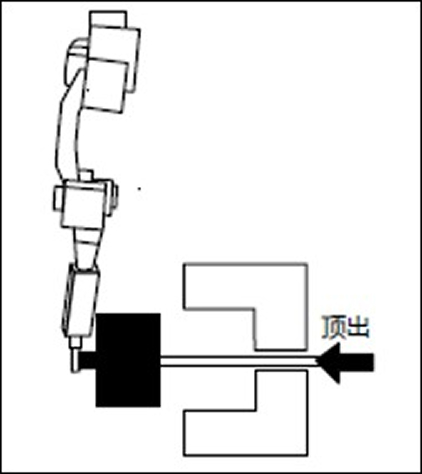
For example, when removing a part from a die-casting machine, the part is pushed out by the machine’s ejector pins. Without servo floating, a robot holding the part would resist the ejecting force in order to maintain its taught position, making the task difficult. With servo floating enabled, the robot can move flexibly in response to the external force and remove the part smoothly.
② No additional hardware required.
No external force-detection sensor is needed, allowing force-responsive operation to be implemented at low cost.
Helical Interpolation
Product Overview:
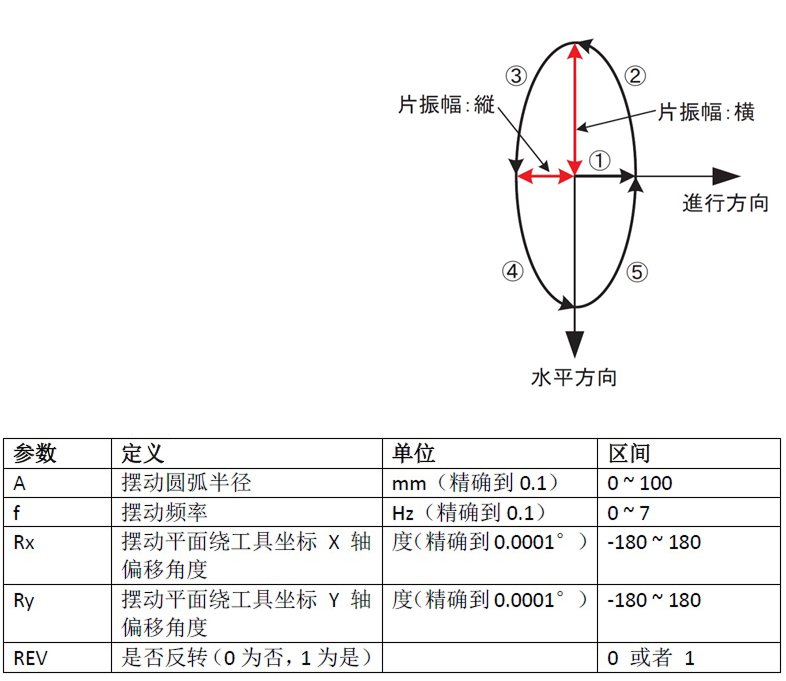
A circular-weave macro command enables circular weaving motion during polishing.
Function
The polishing trajectory can be set simply by configuring the parameters of a single instruction in the program. Adding a pneumatic polishing head enables the polishing function.
Benefit
Simple to commission, with no complicated configuration required — a single instruction is all it takes.
Data Download
Access the latest product manuals, 3D drawings, and detailed technical specifications
